
Discover
What we do
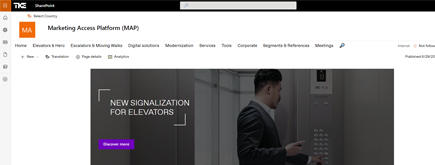
TKE SharePoint rebranding
TKE, a global elevator leader, consulted with NIFTIT to overhaul their SharePoint site for the Asia Pacific team. Enhanced search, mobile usability, and multilingual interface ignited innovation.
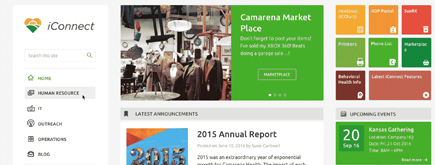
Camarena Health
NIFTIT's expertise in advanced UI/UX design combined with the functionality of Microsoft 365 transformed Camarena Health's digital landscape, driving efficiency and engagement.
The New York Metropolitan Transportation Council (NYMTC)
Discover how NIFTIT improved data access and enhanced collaboration for NYMTC by leveraging SharePoint, optimizing data connections, and orchestrating business automation workflows.
NIFTIT LLC
85 Delancey St, 2nd Floor, New York, NY 10002, USA 1-848-272-0977
SharePoint Storage Full: How to Get Out of Read-Only
By
 Philac N.
Published 3 hours ago
~7 minute read

One morning, users can open their files but cannot save them. Uploads fail, new folders fail, and every SharePoint site in the tenant shows a banner saying it is read-only. Nothing is broken. The tenant has simply run out of storage, and Microsoft has blocked writes until usage is back under the quota.
We recently helped a client out of exactly this situation. Their tenant held about 8 TB of data against a quota of roughly 1 TB. This article explains how SharePoint storage is counted, why a tenant can drift that far over without anyone noticing, and the real options for getting out, including the approach we used to clear the overage without losing a single file.
How SharePoint storage is counted
A Microsoft 365 tenant gets one pooled SharePoint storage quota:
- 1 TB for the organization
- plus 10 GB for every licensed user
A company with 7 licenses therefore has a little over 1 TB to share across every SharePoint site and every Teams file library.
OneDrive is counted separately. Each user's OneDrive has its own quota, 1 TB by default. On most business plans an admin can raise it to 5 TB, and Microsoft support can raise it further, up to 25 TB per user, on request.
What counts against the SharePoint quota is more than the files users see:
- Version history. Every saved version of every file counts. On busy libraries, versions can easily double or triple the size.
- Recycle bins. Both the site recycle bin and the second-stage recycle bin count until they are emptied.
- The Preservation Hold library. If retention policies are in place, preserved copies of changed and deleted files count too.
How a tenant ends up so far over quota
In our client's case, it was a slow drift over several years:
- SharePoint was the main store for scanned documents, which are large and never deleted.
- A migration to OneDrive was completed years earlier, but the SharePoint copies were kept "just in case" and never removed.
- Nobody watched the storage page in the SharePoint admin center, because everything kept working.
That last point is the trap. A tenant can sit over its quota for a long time without any visible impact. Then enforcement kicks in, and every site goes read-only at the same moment. The problem changes overnight from "we should clean up one day" to "nobody can save a file."
Option 1: Buy more storage
Microsoft sells extra SharePoint storage as an add-on, Office 365 Extra File Storage, billed per GB per month.
- Pro: the fastest way out. Read-only lifts once the quota is above usage.
- Con: a recurring cost that adds up quickly across several terabytes.
- Con: it treats the symptom, not the cause.
Before you confirm the purchase, check the quantity and the actual monthly cost in your billing account. For a multi-terabyte overage, the total is often larger than people expect.
Best for: buying time while you clean up, or when the data genuinely needs to stay in SharePoint.
Option 2: Delete what already exists somewhere else
This was our route. Most of the 8 TB had been copied to OneDrive years earlier, so the SharePoint copies were redundant. The challenge was proving it. "It was migrated" is not proof, and deleting terabytes of client records based on a belief is not an option.
Here is the process we followed:
- Inventory both sides. We listed every file in SharePoint and OneDrive along with its content hash. Microsoft stores a QuickXorHash for every file, so this required no downloads.
- Compare by hash, not by name. Some files had been renamed during the original migration. A name-only check would have reported them as missing.
- Sort every file into a bucket: identical, identical but renamed, identical but in another folder, present but different, or missing.
- Close the gaps. We copied the missing files across and kept the "different" files as a second copy next to the original, so nothing was overwritten.
- Delete in batches, with sign-off. Only then did we delete the SharePoint libraries, one batch at a time, with client approval for each.
Lessons we learned along the way:
- Office files rarely match by hash. SharePoint adds its own metadata to Word and Excel files when it stores them, so the same document has a different hash in two locations. Expect a large number of "different" Office files and agree upfront on how to handle them.
- Very large libraries resist deletion. In our project, SharePoint refused to delete libraries above roughly 90,000 items in one operation. Delete the largest folders first, then the library.
- Deleting does not free space on its own. Empty the site recycle bin, then the second-stage recycle bin.
- The storage figure lags. The number in the admin center can take hours, sometimes days, to catch up. Do not panic if it does not move straight away.
- Cleanup jobs share throttling limits with your users. Run them too fast and users start seeing "too many requests" errors. Keep jobs slow during business hours.
Result: the tenant went from about 8 TB to under its quota, read-only lifted, and not a single file was lost.
Best for: tenants with duplicated or previously migrated data, which is more common than most organizations realize.
Option 3: Move data to OneDrive
OneDrive storage does not count against the SharePoint quota. For archive data that a small team mostly reads, a dedicated, licensed OneDrive account (for example, a shared "archive" user) can hold 5 TB, and more on request to Microsoft.
- Pro: no extra cost if you already have the license.
- Con: one account becomes a single point of failure, so protect it with backup and regular access reviews.
- Con: not suited to content that many people edit together.
Best for: large archives of scans or records that are mostly read and rarely edited.
Option 4: Trim version history
Version history is often the hidden half of the problem. A spreadsheet edited every day for five years can be stored hundreds of times.
- Set version limits on new and existing libraries, either a fixed count or Microsoft's automatic version history limits.
- Run a version trim job on existing files to remove old versions.
The upside is that this can free a lot of space without touching any current file. The downside is that deleted versions are gone for good, so check your retention and legal requirements first.
Best for: active document libraries with heavy editing.
Option 5: Archive outside active SharePoint
For data that must be kept but is almost never opened:
- Microsoft 365 Archive moves whole inactive sites into lower-cost archive storage inside Microsoft 365, and they can be reactivated later.
- Azure Blob Storage (Cool or Archive tier) is very cheap per TB, but the files leave SharePoint, so search, permissions, and the user experience change.
- A backup product that keeps long-term copies can also serve as the archive of record.
These options are the cheapest per TB for cold data, but users lose the normal SharePoint experience for that content.
Best for: closed projects and old records kept for compliance.
What we recommend
- Unblock users first. If users are blocked today, buy just enough storage to lift read-only, and treat it as temporary.
- Find out what is using the space. Review storage metrics per site and per library. In our experience, the culprit is usually a few libraries, duplicated data, or version history.
- Remove what already exists elsewhere, and prove it first, file by file, by hash.
- Move cold data to cheaper storage.
- Prevent a repeat. Put version limits on large libraries and set up storage monitoring with an alert well before the quota is reached.
The takeaway
A read-only tenant feels like an outage, but it is almost always the result of years of quiet growth: duplicated migrations, unlimited version history, and nobody watching the storage page. The fastest fix is to buy storage. The lasting fix is to understand what is using the space and remove it safely.
The rule we kept throughout the project: no file is deleted until it is proven to exist somewhere else. It is slower, but it is the only approach you can defend to a client.
If your SharePoint has gone read-only, or your storage is creeping toward its quota, talk to NIFTIT. We help small and mid-sized organizations analyze their Microsoft 365 storage, clean up duplicated data safely, and put the governance in place so it does not happen again.