
Discover
What we do
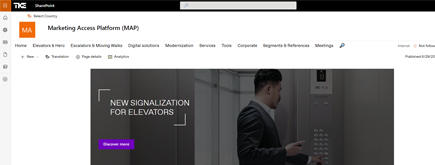
TKE SharePoint rebranding
TKE, a global elevator leader, consulted with NIFTIT to overhaul their SharePoint site for the Asia Pacific team. Enhanced search, mobile usability, and multilingual interface ignited innovation.
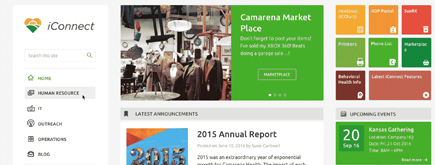
Camarena Health
NIFTIT's expertise in advanced UI/UX design combined with the functionality of Microsoft 365 transformed Camarena Health's digital landscape, driving efficiency and engagement.
The New York Metropolitan Transportation Council (NYMTC)
Discover how NIFTIT improved data access and enhanced collaboration for NYMTC by leveraging SharePoint, optimizing data connections, and orchestrating business automation workflows.
NIFTIT LLC
85 Delancey St, 2nd Floor, New York, NY 10002, USA 1-848-272-0977
SharePoint User Access Audit: What Admins Miss
By
 Khoa Q.
Published 9 months ago
~6 minute read

You're in a meeting when someone asks: "Can this person access that site?" Or maybe it's "We're rolling out Copilot to 50 people next week. Do we know what they can see?" Or the classic: "This employee just resigned. What are they taking with them?"
And suddenly you're clicking through site after site, hunting for sharing links, or (if you're really desperate) firing up PowerShell at 4 PM on a Friday.
For years, answering "what can this user actually access?" has been somewhere between tedious and impossible. You'd check site memberships manually, trace group hierarchies, dig through sharing activity, and still miss half the picture. SharePoint permissions have always been a bit like archaeology. You're never quite sure what you'll uncover until you start digging.
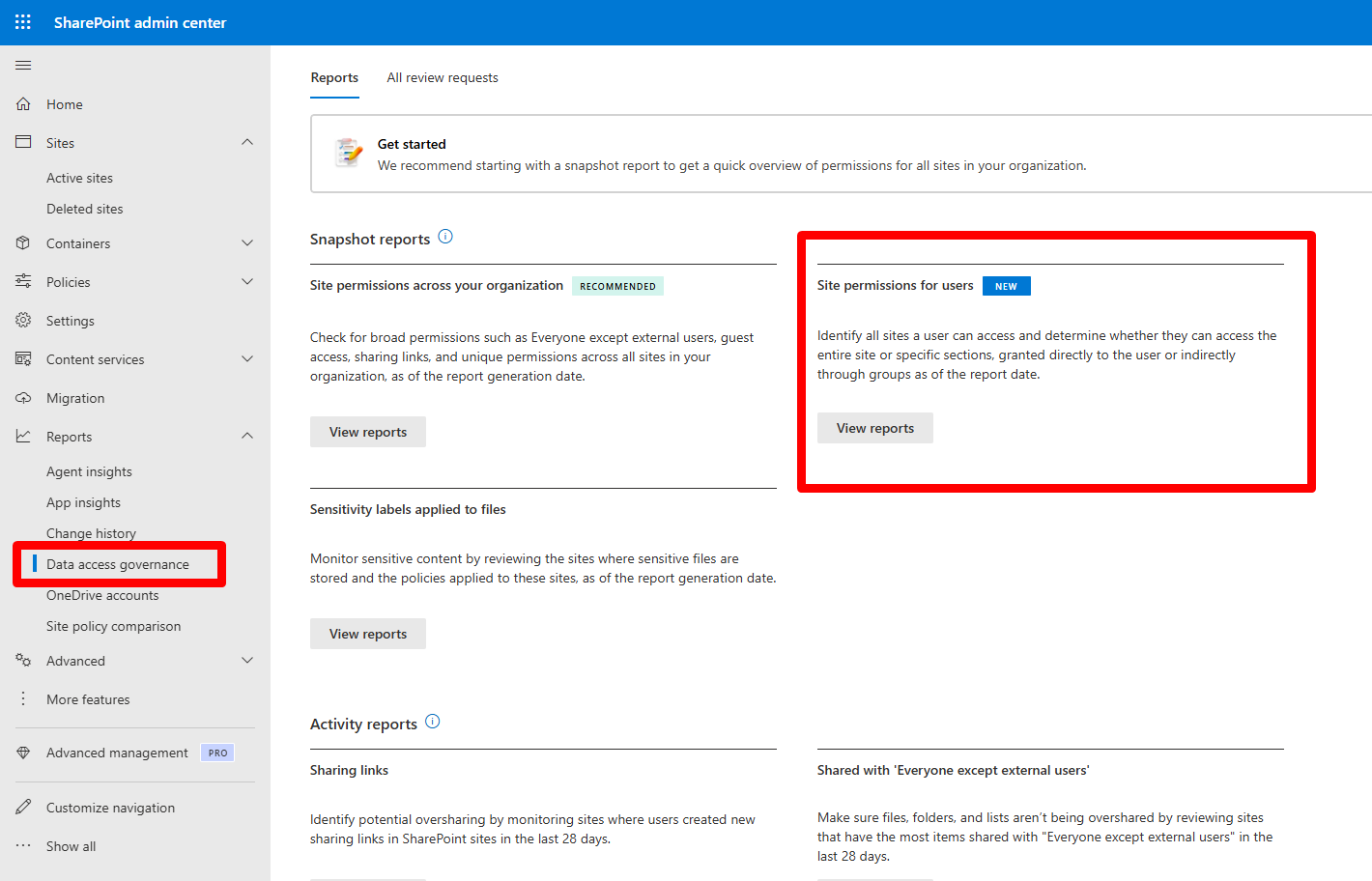
Microsoft just changed that. They've introduced a report in the SharePoint admin center called Site permissions for users, tucked under Reports > Data access governance. It's not flashy. But for anyone who's ever had to audit user access under pressure, it's a quiet revolution.
What You Actually Get
The report does something deceptively simple: it shows you every site a user can access, whether they can see the whole thing or just a few files, and how they got that access (directly, or through group membership).
Microsoft positions this for two scenarios in particular: reviewing permissions before you hand someone a Copilot license, and cleaning up access when someone leaves or switches roles. Both situations have historically been nightmares to handle at scale.
There are a few operational boundaries worth knowing up front. The data is pulled from up to 48 hours before you generate the report, so it's not live, but it's recent enough for governance work. You can run a maximum of five reports, and you can regenerate them every 30 days. Think of this as a periodic health check, not a real-time monitoring tool.
The Licensing Catch
To use this, you need SharePoint Advanced Management. You can license it separately per user, or (and this is where it gets interesting) if your organization already has Microsoft 365 Copilot and at least one person with a Copilot license, SharePoint admins automatically get access to the SAM features needed for Copilot deployment.
So in practice, if you're preparing for Copilot, the tools to audit readiness come along for the ride.
Running the Report
The mechanics are straightforward. In the SharePoint admin center, go to Reports, open Data access governance, and under Site permissions for users, hit View reports. You create a report, pick your users, and choose whether you want to scope it to SharePoint sites, OneDrive, or both.
The real value shows up when you open the export.
What the Export Tells You
Once you've got the CSV in front of you, a handful of columns become your compass:
Is site shared tells you whether the user has site-level access, usually through a SharePoint group. Items with direct access count shows files or folders shared specifically to that person. Items with indirect access count captures what they can reach through group membership. External sharing flags whether the site allows sharing outside your organization. And Files gives you a rough sense of content volume, which helps you prioritize where to spend your time.
These aren't abstract metrics. They're decision triggers.

What a Real Report Looks Like
I ran this for a user recently and exported the data. The report covered 31 sites. Here's what jumped out.
The user had access to 13 communication sites, 10 team sites, four classic sites, and a few others. That mix tells a story. Modern sites (communication and team sites) tend to have cleaner, group-based permissions. Classic sites often carry baggage: one-off shares from three years ago, orphaned owners, unique permissions that nobody remembers setting. Those four classic sites? That's where the risk lives.
External sharing was enabled on 18 of the 31 sites. Not inherently bad, but worth understanding. The pattern was clear: almost every team site and classic site allowed external sharing, while most communication sites didn't. If that's intentional strategy (collaboration spaces stay open, internal hubs stay locked), great. If it's accidental drift, now you know.
But the real surprise was item-level sharing. Most sites showed zero direct or indirect item shares. Then there were three outliers. One site alone had 466 items shared directly to this user. That's the scenario that makes audits miserable: the user looks fine at the site membership level, but buried underneath are years of accumulated file and folder shares. This report surfaces that instantly.
File counts varied wildly, from a handful of documents to over 100,000. Two classic sites held more than 109,000 files each. Even if permissions are technically correct, high-volume sites are where oversharing hides in plain sight, where ownership gets murky, and where Copilot readiness becomes urgent. When a user can summarize or search across 100,000 files, you want to be certain they should.
One last detail: every site in this export had blank sensitivity labels. Maybe labels aren't deployed yet, or maybe they exist but aren't applied consistently. Either way, it's a signal. If you're using sensitivity labels to drive sharing policies, access reviews, or lifecycle rules, this is your nudge to check whether they're actually doing work or just sitting in the admin console.
How to Use This in Real Life
At NIFTIT, we run this report in three scenarios.
When someone's leaving, we generate the report for both SharePoint and OneDrive, then sort by items with direct access (highest first), file count (largest first), and external sharing enabled. We focus on removing unnecessary direct shares, confirming who owns high-volume sites, and double-checking whether external sharing still makes sense for sites they could access.
When someone switches departments, we treat it as a permission reset. Keep what aligns with the new role. Remove what was only relevant to the old one. This prevents permission creep, the slow accumulation of access rights that nobody ever revokes.
For Copilot readiness, we run reports for pilot groups before licensing them. We flag users with unusually high direct item access counts, review large sites with external sharing enabled, and fix obvious oversharing before turning on Copilot. Microsoft calls this out explicitly as a use case, and for good reason: Copilot magnifies whatever access problems you already have.
Getting this right across a whole tenant takes more than one setting. Our Microsoft 365 security and compliance services can review your setup.
Why This Feels Different
There have been admin reports before. Audit logs, sharing reports, permission inventories. But they've always required assembly. You'd pull data from three places, cross-reference it manually, and hope you didn't miss anything.
This report consolidates the question "what can this person see?" into a single artifact you can generate on demand. It's repeatable. It's scoped to the individual. And it gives you enough context to make decisions without needing a forensics degree.
For organizations getting ready for Copilot, this is the difference between guessing and knowing. For anyone managing SharePoint at scale, it's the difference between reactive firefighting and proactive governance.
We usually pair this with a permissions model review (site-level access wherever possible, item-level only when necessary) and a set of sharing rules that define who can share what, when, and with whom. Then we build a cadence: monthly reviews for high-risk roles, quarterly for everyone else.
If you've got access to this report, I'd suggest running it for a few different profiles: someone in HR, someone in finance, an executive, an external collaborator. The contrasts between those patterns will show you exactly where your governance gaps are.
Need help securing your Microsoft 365 environment? Our team can review your access, compliance, and data protection settings. Book a security consultation.