
Discover
What we do
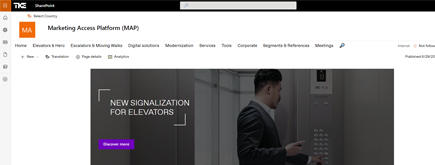
TKE SharePoint rebranding
TKE, a global elevator leader, consulted with NIFTIT to overhaul their SharePoint site for the Asia Pacific team. Enhanced search, mobile usability, and multilingual interface ignited innovation.
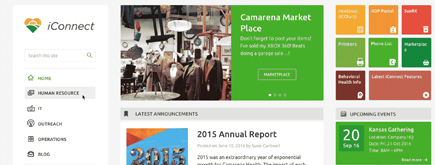
Camarena Health
NIFTIT's expertise in advanced UI/UX design combined with the functionality of Microsoft 365 transformed Camarena Health's digital landscape, driving efficiency and engagement.

The New York Metropolitan Transportation Council (NYMTC)
Discover how NIFTIT improved data access and enhanced collaboration for NYMTC by leveraging SharePoint, optimizing data connections, and orchestrating business automation workflows.
NIFTIT LLC
85 Delancey St, 2nd Floor, New York, NY 10002, USA 1-848-272-0977
SharePoint Migration Strategy: Modernize or Retire
By
 Khoa Q.
Published 9 months ago
~12 minute read

Stop Migrating SharePoint Sites That Don't Deserve It
The consulting engagements that go sideways aren't usually the ones with complex technical challenges. They're the ones where someone decided on the migration approach before understanding what they were actually migrating, or why.
We've watched organizations burn through six-figure budgets moving hundreds of SharePoint sites from classic to modern, only to realize halfway through that most of those sites either shouldn't have been touched at all, or needed completely different treatment than what they received. The pattern is always the same: pick one method, apply it universally, discover too late that you're either over-engineering simple problems or under-solving complex ones.
At NIFTIT, the first conversation we have with clients isn't about tooling or timelines. It's about whether the migration they think they need is actually the right answer. Because the dirty secret of SharePoint modernization is that treating every site the same way is the fastest route to wasted money and frustrated users.
The Question Nobody Wants to Ask
Before you start mapping out your migration strategy, you need to answer a question that most organizations skip right over: should this site even exist in a modern form?
That's not a rhetorical exercise. Your SharePoint environment is probably filled with sites that outlived their purpose years ago, sites that three people use because they're buried in a link somewhere, and sites that were created for a project that wrapped up before the pandemic. You also have sites that are actively used but have been so customized with classic publishing features and script injections that modernizing them would mean rebuilding everything from scratch anyway.
The mistake organizations make is approaching modernization like a migration project when it's actually a rationalization project. You're not just moving content from one platform to another. You're deciding which parts of your digital workplace still deserve to exist, which ones need to be reimagined, and which ones should quietly be put out to pasture.
That decision matters because the cost difference between modernization approaches isn't small. Modernizing a collaboration site in place might take a few hours. Rebuilding a classic publishing portal from the ground up could take weeks or months. Retiring a site costs almost nothing. Picking the wrong approach for dozens or hundreds of sites compounds into real money, real fast.
Why One Size Fits Nothing
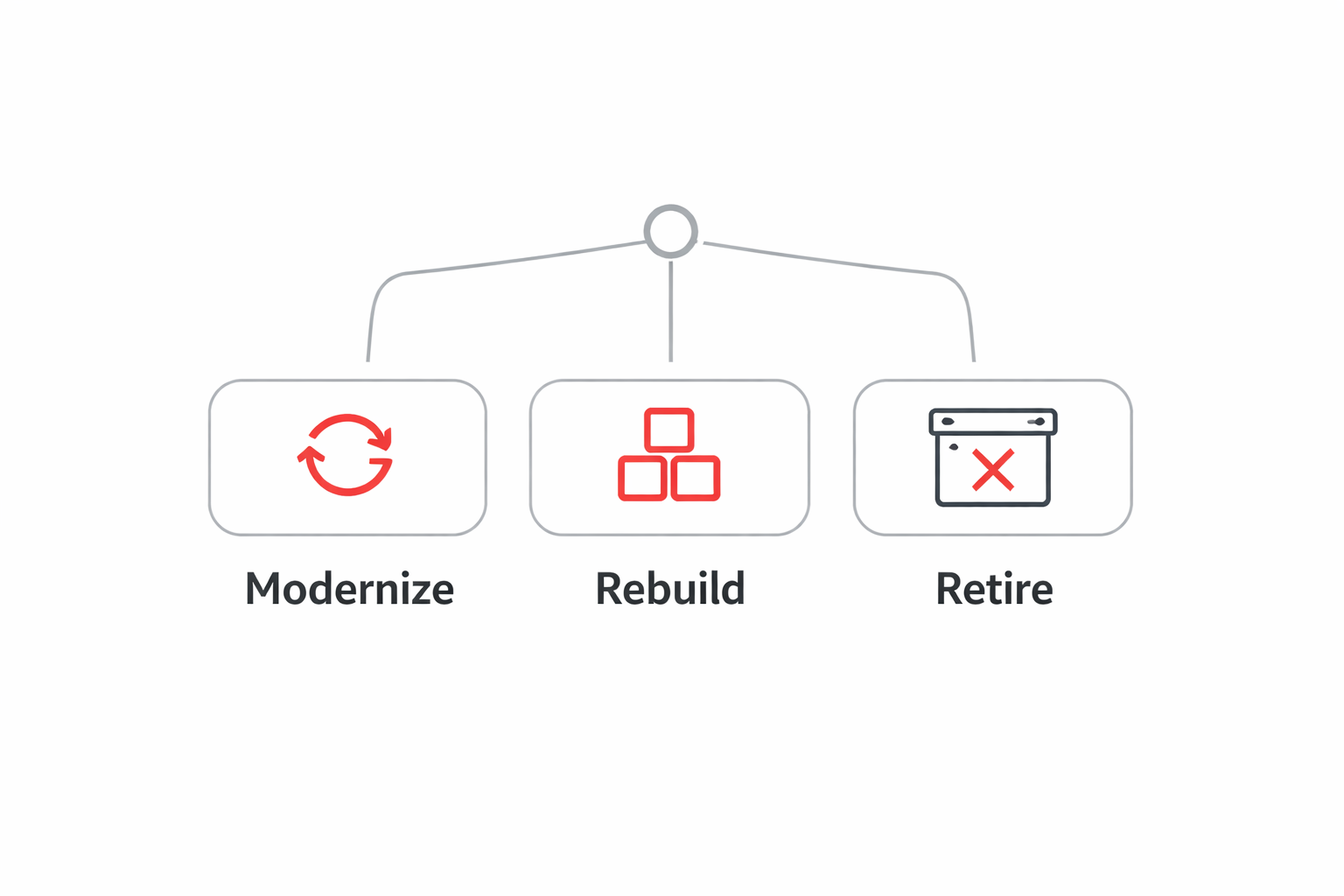
Classic to modern isn't a single journey. It's three fundamentally different transformations that require different skills, different levels of effort, and different outcomes. The path you choose for each site should depend on what that site actually does, how it's built, and whether it still matters to your business.
The organizations that get this right start by categorizing their sites honestly. Not by department or business unit, but by technical reality and business value. Once you understand what you're really dealing with, the right approach usually becomes obvious.
Path One: Modernize in Place
This is the path that sounds appealing because it feels like the least disruption. You keep the existing site, keep the URL everyone knows, and systematically replace classic dependencies with modern equivalents. No migration project, no change management headaches, just a gradual transformation that happens in the background.
The catch is that this only works when your classic dependencies are actually replaceable without completely changing how the site functions. If your site is primarily a collaboration space where people store documents, manage lists, and occasionally edit a lightweight page, you're in good shape. The modern equivalents exist, they work well, and the transition is usually smooth.
But the moment you start encountering classic publishing features, heavy customization, or workflows that were built when InfoPath was still a thing, you're not really modernizing in place anymore. You're trying to retrofit modern components onto classic architecture, and that almost never ends well. Users end up with a site that looks modern but still forces them back into classic views for half their tasks. That's worse than just leaving it classic because now you've created confusion without solving the underlying problem.
The sites that work for in-place modernization are the ones where the classic dependencies were light to begin with. Think team sites that use standard document libraries, simple list views, and pages that don't rely on master pages or page layouts. These sites can be brought into the modern experience without reimagining the entire information architecture.
What you're really betting on with this approach is that your users' workflows can stay mostly the same. If you modernize the pages but leave legacy forms and workflows in classic, users will bounce between experiences constantly. They'll find the modern interface, start working, hit a form or workflow that drops them back into classic, and then wonder why you bothered changing anything at all. That cognitive dissonance kills adoption.
The other thing to watch is customization debt. If your classic site has script injections scattered across pages to add functionality that SharePoint didn't natively support, modernizing in place means finding supported alternatives for all of that. Sometimes those alternatives exist. Sometimes they don't. And sometimes they exist but require a level of effort that makes you wonder why you didn't just rebuild.
Path Two: Rebuild and Relocate
This is the path that scares people because it sounds expensive and time-consuming. And it is both of those things. But for certain types of sites, it's also the only approach that actually works.
Classic publishing portals are the obvious candidates. If your site uses page layouts, master pages, managed navigation, and content types in ways that were designed specifically for classic SharePoint's publishing infrastructure, there's no modern equivalent that preserves that structure. The modern publishing experience is fundamentally different. Trying to modernize those sites in place is like trying to convert a PowerPoint deck into a Word document by copying each slide into a page. The format doesn't translate because the underlying model is different.
The same goes for sites that have been heavily customized with script injection or branding overrides. If you've been using classic SharePoint as a platform to build something that barely resembles SharePoint anymore, modernization isn't about updating components. It's about rebuilding the functionality you created using modern tools and approaches. That's a development project, not a migration project.
Here's where organizations get into trouble: they approach rebuild and relocate like a content migration exercise. They spin up a new modern site, copy over the document libraries and lists, maybe recreate a few pages, and then cut users over. What they forget is that the value of those classic publishing portals wasn't in the content alone. It was in the navigation, the user journeys, the way information was organized and presented.
When you rebuild, you need to rebuild the experience, not just the artifacts. That means rethinking your information architecture for how modern SharePoint works, redesigning your navigation to fit modern patterns, and recreating workflows using Power Automate instead of trying to preserve whatever was built in SharePoint Designer a decade ago. It's more work, but it's also the only way to end up with something that actually functions in the modern experience.
The upside is that rebuilding gives you permission to fix things that were never quite right in the classic version. That subsite sprawl that made navigation incomprehensible? Gone. Those permissions that got so tangled that nobody remembers who has access to what? Simplified. Those workflows that everyone hated but tolerated because they were better than nothing? Replaced with something that actually works.
Rebuild and relocate is also your answer when you've got classic sites that are central to important business processes but were never built well in the first place. If the site is important enough to justify the investment, rebuilding lets you get it right this time instead of just moving the problems into a modern shell.
Path Three: Retire and Replace
This is the path that nobody wants to talk about because it sounds like admitting defeat. But retiring sites that don't deserve to exist anymore is often the smartest thing you can do.
Look at your SharePoint environment honestly. How many sites are in there because someone created them for a project five years ago and then forgot to decommission them when the project ended? How many are getting visited by fewer than ten people a month? How many have content that's so outdated that keeping it around is actually a liability?
Retirement isn't about laziness. It's about resource allocation. Every site you migrate, modernize, or rebuild has a cost. Time, effort, budget, attention. When you spend those resources on sites that don't matter, you're not spending them on sites that do. The math is that simple.
The hard part is having the conversation. Business units get territorial about their sites even when they're not using them. IT teams worry about losing institutional knowledge. Compliance people panic about retention requirements. Everyone has a reason why the site should stay, even if nobody can articulate what value it's currently providing.
This is where good governance matters. You need clear criteria for what earns the right to be modernized versus what gets archived. Usage metrics are a starting point, but they're not the whole story. A site with low traffic might be critical to a small team's work. A site with high traffic might just be people looking for something that should have been retired years ago.
The replacement piece is just as important as the retirement decision. If you shut down a site without giving people an alternative, they'll recreate it somewhere else, probably in a way that's even worse than what you just got rid of. The conversation should always be about where the business need is going to be met going forward, not just about what's getting turned off.
Sometimes the replacement is another modern site, just one that's built properly instead of being a migrated mess. Sometimes it's a Teams channel where that collaboration should have been happening all along. Sometimes it's just acknowledging that the need that site was created for doesn't exist anymore, and it's okay to let it go.
The watch-out here is communication. Retirement projects that fail usually fail because users showed up one day, found their site gone, and nobody told them why or where to go instead. Good retirement projects involve clear timelines, migration of anything that still has value, archiving for compliance where needed, and explicit direction about alternatives.
How to Actually Make the Call
Decision frameworks in consulting usually involve elaborate matrices and scoring models. The reality is simpler and more human.
Start with the publishing question. If your site is built on classic publishing features, you're almost certainly looking at rebuild and relocate. Modern SharePoint doesn't have direct equivalents for page layouts, master pages, and the other publishing infrastructure that classic relied on. You can try to modernize those sites in place, but you'll end up rebuilding most of it anyway, so you might as well do it in a clean environment where you can fix the architecture at the same time.
The script injection question is similar. If your site depends on custom JavaScript scattered across pages to make basic functionality work, modernizing in place means finding supported alternatives for all of that. Sometimes those exist. Often they don't. And even when they do, the effort required to replace all that custom code while preserving the existing site structure usually costs more than just rebuilding in a modern site where you can use supported customization patterns from the start.
Then there's the ownership and value question. If you can't identify a clear business owner who can articulate why the site still matters, you're probably looking at retirement. Sites that survive on organizational inertia rather than actual value are just consuming resources that could be better spent elsewhere. The test isn't whether someone might possibly need the content someday. It's whether the site is actively supporting work that matters now.
Everything else tends to fall into the modernize in place category. Collaboration sites that use standard features, team spaces that are actively used but not heavily customized, simple sites where the classic dependencies are minimal and replaceable. These are the sites where the modern experience is genuinely better, the migration path is straightforward, and keeping the existing URL and structure makes sense.
Why This Actually Matters
The organizations that struggle with SharePoint modernization are usually the ones that tried to standardize their approach too early. They decided they were going to modernize in place, or rebuild everything, or use a specific tool, and then they tried to force every site into that model.
The organizations that succeed are the ones that start with honest assessment. They look at each site or site category based on what it actually is and what it actually does, not based on what they wish it was or what would be easiest to process at scale. They make different decisions for different sites, and they're okay with that complexity because the alternative is wasting money on the wrong approach.
At NIFTIT, we spend a lot of time in the migration assessment phase because that's where projects are won or lost. Our clients hire us to execute migrations, but the real value we provide is helping them not migrate things that shouldn't be migrated in the first place. That sounds counterintuitive until you realize that successful modernization isn't about moving everything. It's about moving the right things in the right way.
We've built our modernization practice around the principle that SharePoint is a platform, not a product. What that means in practical terms is that two sites might look similar from the outside but require completely different treatment based on how they're built and what they're used for. The only way to get that right is to actually look, not to assume.
If you're staring down a SharePoint modernization project and trying to figure out where to start, start with the question of whether migration is even the right answer for each site. The sites that earn modernization in place are the ones where the value is clear, the dependencies are light, and the user experience improves without fundamental change. The sites that earn rebuild and relocate are the ones where the classic features don't translate but the business need is still real. Everything else should at least be evaluated for retirement before you invest in transforming it.
Your SharePoint environment probably has all three types. The mistake is treating them all the same. The opportunity is recognizing the difference and making the right call for each one. That's where real modernization happens, not in the migration tools or the project timelines, but in the decisions about what deserves to be modern in the first place.
Planning a SharePoint or Microsoft 365 migration? We help teams plan, migrate, and go live without surprises. Talk to our migration team.